


Word Wow - Brain training fun
4.63.07K Reviews
App Specs
- Version
- 2.5.62
- Updated On
- License
- Free
- Downloads
- 1,000,000+
- Developer
- DonkeySoft Inc.
- Categories
- Word
- Platform
- Android
Screenshots

 Analysis by AppCompare
I like word games that let me settle in without asking for a long commitment, and Word Wow is built around that sort of quick, focused play. You make words from letters on the board to help a little worm dig down, so a successful move has a visible purpose beyond simply adding to a score. When I first opened it, the rules felt approachable: look for connected letters, form a word, and watch the path forward change. The first satisfying moment comes quickly, which makes the game a welcoming choice if you want a gentle mental challenge rather than a complicated tutorial.
Digging Into the Gameplay
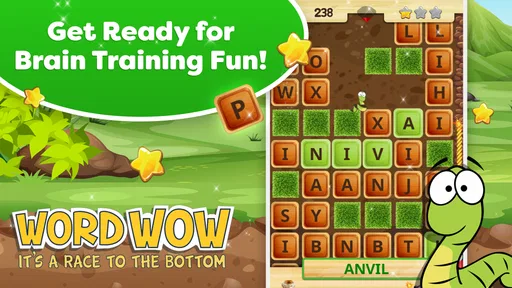
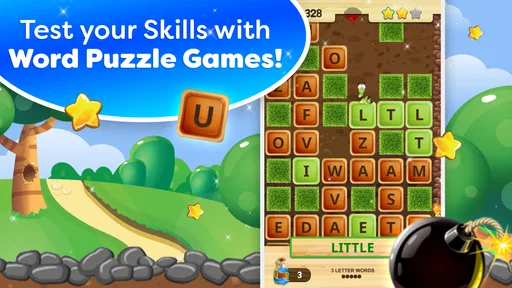
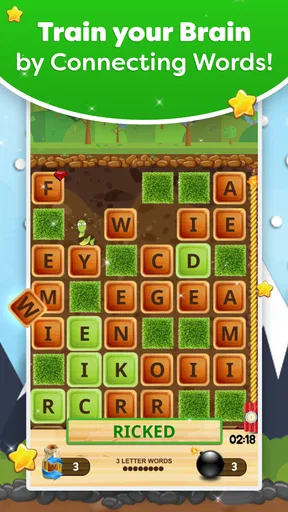
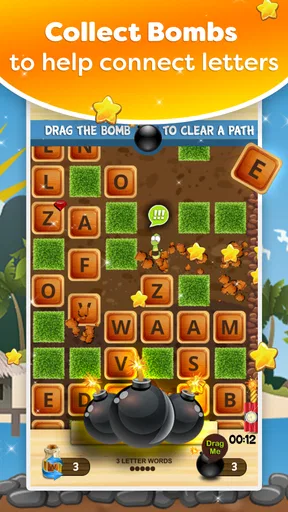
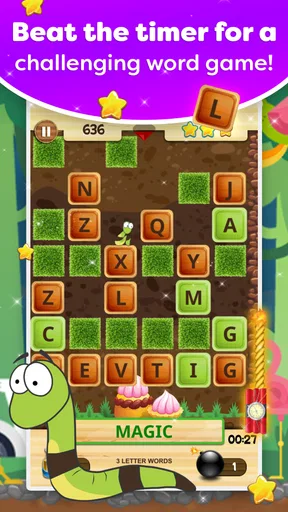
So, what’s the scoop with Word Wow - Brain training fun? At its core, the game revolves around creating words from a jumble of letters to help a cute little worm dig his way underground. It’s simple, yet incredibly addictive. You start with a grid of letters, and your job is to connect them to form words. The longer the word, the deeper our wormy friend can dig.
Each level presents a new challenge, keeping things fresh and engaging. The pace is just right—enough to keep you on your toes without feeling overwhelming. And let me tell you, there’s nothing quite like the satisfaction of making a massive word and watching the worm tunnel his way down.
Levels and Challenges
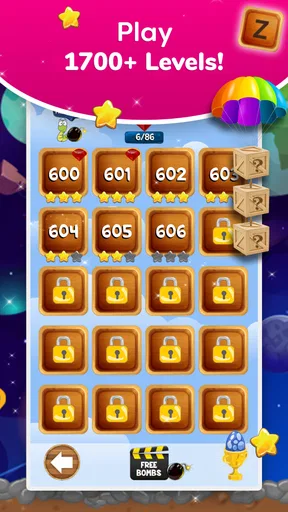
The app offers a plethora of levels to keep you entertained for hours. As you progress, the difficulty ramps up, introducing new obstacles and power-ups. There are also bonus levels sprinkled throughout to keep things interesting. These not only test your vocabulary but also your strategic thinking. Trust me, you’ll be racking your brain trying to figure out the optimal word placement.
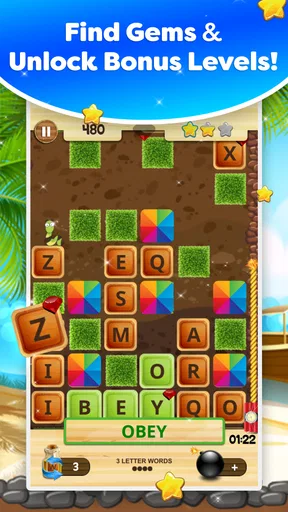
One of my favorite aspects of the game is the varied challenges. Some levels require you to dig down to a certain depth, while others might have you collecting gems or racing against the clock. It keeps the experience dynamic and prevents the dreaded burnout that can happen with repetitive gameplay.
Learning the Board’s Rhythm
The useful skill here is not simply spotting the longest word you can make. I get better results when I first scan for words that open a useful route through the letters, then consider whether a longer option is worth saving for later. That small pause can matter on a board with a target or a time limit: a clever move that leaves awkward letters behind may be less helpful than a shorter word that clears the way. If I am stuck, I look at the whole board again rather than staring at one promising cluster; shifting my attention often reveals a connection I missed.
This is also why I would not treat every level as a vocabulary test. Familiar words are useful, but planning and quick visual recognition have a part to play too. A player who knows plenty of words can still make a poor move by focusing only on length, while someone with an ordinary vocabulary can do well by reading the available paths carefully. The game rewards flexible thinking more than showing off obscure words.
Worth Reading Before You Choose

EA SPORTS FC Mobile 26 Is a Bigger Football Game, but It Takes Time

Flipboard Shows What News Apps Must Do Beyond the Feed

Switching to Android Auto Means Rethinking Your Driving Routine

Google Calendar Makes a Crowded Week Easier to Manage

Ludo King Makes the Most of the Minutes Between Plans

Baby Panda World Brings Quick Play to Modern Phones, but Its Game Library Feels Busy
Design and User Experience
Visually, the game is a treat. The graphics are vibrant and charming, with a playful design that complements the lighthearted nature of the game. The animations are smooth, and the interface is intuitive, making navigation a breeze. It’s clear that a lot of love went into crafting an experience that’s not only fun but also user-friendly.
One thing that stands out is the game’s sound design. The whimsical music and sound effects add an extra layer of immersion without being intrusive. It’s the kind of game where you can easily lose track of time, especially with headphones in.
Making It Fit a Short Break
A realistic time to play is while waiting for a kettle, sitting in a waiting room, or taking a quiet pause between tasks. I can open a level, focus on a handful of word choices, and put the phone down when the interruption ends. The clear board objective gives a short session a satisfying shape, unlike a word puzzle that depends on maintaining a long streak or remembering a complicated chain of clues. If I know I may be interrupted, I avoid starting a timed challenge; a calm moment is better for those levels than a bus ride with frequent stops.
For a first-time player, I would start by choosing a level and making one obvious connected word rather than searching for the perfect move. That first action makes the central loop clear: words affect the worm’s progress, and the objective of the level tells you what to prioritize. After that, take a moment to read the goal before each new board. It is easy to get absorbed in word-finding and overlook whether the task is about depth, collecting items, or speed.
Why You Should Give It a Go
What truly sets Word Wow - Brain training fun apart is its balance of challenge and enjoyment. It’s the perfect game for those moments when you want to unwind while still giving your brain a little workout. Whether you’re on a short break or lounging at home, it’s a fantastic way to keep your mind sharp.
The app doesn’t bombard you with ads, which is a huge plus in my book. You can enjoy a seamless gaming experience without constant interruptions—a rarity in today’s gaming landscape. Plus, there are leaderboards and achievements to keep the competitive spirit alive if you’re into that sort of thing.
Who Will Enjoy It—and Who May Not
I would recommend this to someone who likes finding words but wants more direction than a plain letter-grid puzzle provides. The worm’s progress and changing level aims give each move context, so it suits casual players who prefer a light objective alongside word-making. It can also work for people who want to practise noticing letter patterns in brief sessions, without turning the activity into a formal lesson.
On the other hand, if you mainly enjoy open-ended word searches, spelling practice, or strategy games with deep systems, this may not be your first choice. The fixed board goals and the need to help the worm descend shape the experience; they are part of its charm, but they also mean it is not a freeform vocabulary sandbox. Players who dislike timed pressure should pay attention to the level’s aim and save those challenges for when they can concentrate.
How It Compares With Other Word Games
Compared with a crossword, this asks less about clues and general knowledge and more about spotting words in a connected arrangement. Compared with a standard word-search, it adds a practical reason to think about what a move does to the board: the aim is not just to find a word, but to help the worm make progress. That gives it a more active, puzzle-like feel than simply scanning a page, though someone who prefers quiet, untimed searching may find a traditional word-search more relaxing.
It is also different from a competitive spelling game that focuses on head-to-head speed. Word Wow has leaderboards and achievements for players who like a sense of comparison, but its core appeal is still the single-player rhythm of reading a board and making a useful move. I would choose it for a few minutes of focused play, not as a substitute for a serious multiplayer word contest.
Practical Details for a First Install
DonkeySoft Inc. makes this free word game, which is rated for Everyone and has been available since June 13, 2014. It has a 4.7 average from around 17,000 ratings, and it has passed one million installs. Those figures suggest that it has found a sizeable audience, but what matters more to me is that the basic premise is easy to understand before you invest much time in it.
The current version is 2.5.45, and it requires Android 6.0 or later. There are optional in-app purchases, with items ranging from $0.99 to $13.99, so the game is free to start but purchases are part of the offering. If you prefer not to spend, check the purchase prompts carefully and make your choice deliberately. I would not assume that buying anything is necessary just to understand the basic word-and-worm loop.
When the Challenge Gets Tricky
The main friction is that the same approachable format can become demanding when a level combines a narrow objective with a board that does not immediately reveal a good route. I sometimes need to slow down, scan from a different corner, and resist repeatedly trying the first word that comes to mind. That is a useful change of pace if I want a puzzle, but less appealing when I only have a few seconds and want something completely effortless.
Another trade-off is that the satisfying visual progress can tempt me to chase longer words even when a level’s specific goal should come first. I now check the objective before I start and use it as a filter for possible moves. If the goal is collecting something or reaching a particular depth, I think about whether a word helps with that task, rather than assuming the longest available word is automatically best. This simple habit makes the game feel less random and helps me avoid wasting attention.
Final Thoughts
In a world overflowing with apps and games, Word Wow - Brain training fun is a gem that stands out for its simplicity and addictiveness. It’s a game that’s easy to pick up but hard to put down, and it’s got just the right amount of challenge to keep you coming back for more.
So, if you’re looking for a fun, brain-boosting activity that’s both engaging and rewarding, give Word Wow a spin. It’s available for download on both Android and iOS, so grab your phone, and let the word-building adventure begin!
My recommendation is simple: try it when you have a few unhurried minutes, read the level’s goal, and make your first word without overthinking it. If you enjoy the connection between spotting words and seeing the worm move, the game has a straightforward reason to keep playing. If you would rather solve clues, explore a freeform grid, or avoid any time-based pressure, another style of word puzzle may suit you better. For me, its strongest point is that each move feels tangible, while its best results come from treating the board as a small problem to plan through rather than a race to find the biggest word.
Pros
- Engaging puzzles that stimulate the mind.
- Regular updates with new challenges.
- User-friendly interface and controls.
- Visually appealing with vibrant graphics.
- Encourages vocabulary improvement.
Cons
- In-app purchases can be frequent.
- Advertisements may interrupt gameplay.
- Limited offline functionality.
- Some levels can be repetitive.
- Requires a stable internet connection.
FAQs for Word Wow - Brain training fun
What is Word Wow - Brain training fun?
Word Wow is an engaging word puzzle game designed to enhance your vocabulary and cognitive skills. Players navigate through various levels by finding hidden words, aiding a worm character on its journey. The game combines fun and educational elements, making it an excellent choice for both entertainment and brain training.
Is Word Wow suitable for kids?
Yes, Word Wow is suitable for children. Its user-friendly interface and progressive difficulty levels make it an ideal educational tool for kids to improve their vocabulary and spelling skills while having fun. Parents can feel confident knowing the game is both entertaining and beneficial for their child’s cognitive development.
Does Word Wow require an internet connection?
No, Word Wow does not require an internet connection to play. This makes it perfect for on-the-go entertainment, whether you’re traveling or in areas with limited connectivity. However, some features, such as updates and leaderboards, may require occasional internet access.
What platforms is Word Wow available on?
Word Wow is available on both Android and iOS platforms. This cross-platform availability ensures that players can enjoy the game on a variety of devices, including smartphones and tablets. Simply visit the Google Play Store or Apple App Store to download and start playing.
Are there in-app purchases in Word Wow?
Yes, Word Wow offers in-app purchases. While the game is free to download and play, players can purchase additional features, such as hints or removing ads, to enhance their gaming experience. These purchases are optional and not necessary to enjoy the full game.


